Wait Granny, I’ll ask my furryfriends,
I’m sure they know…
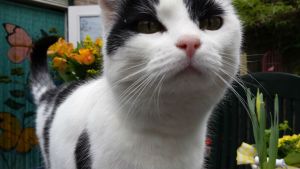
Hi (Furry)friends,
I hope you can see me….
I need some help.
We don’t know anymore
how to paste an image in our sidebar,
because we don’t know
how to manage the png. -adres.
We have this problem since WordPress has changed.
Also when you click on the photos
on our site,
you can’t biggify them anymore.
Is there anybody out there
who can help us solve this problem..
PLEASE?
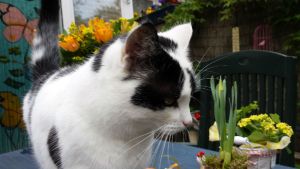
Okay, hope to hear from you…
and you get a lot of Extra Pawkisses
if you help us solve the problem.
That’s it for now.
-P A W K I S S –










































































 Angelswhisper2011
May 15, 2014 @ 00:28:28
Very cute! Thanks so much for following me! 🙂
May 19, 2014 @ 23:05:00
Thank you, Gerri. Pawkisses 🙂
May 13, 2014 @ 03:12:31
Chuckles: well, Sonel and Simba what an awesome team! i’m happy you got it all fixed up now, LB! yaaaay!!!
May 08, 2014 @ 04:50:04
Great advice. You sure don’t need our help.
May 12, 2014 @ 21:13:21
We’re very lucky having furriends around, Dogdaz 🙂 Pawkiss 🙂
May 06, 2014 @ 19:09:40
Did you see Aunty Sonel’s video makes this look really easy,kisses,xx SPeedy
May 06, 2014 @ 20:57:10
Yeah, Speedy, she did a great job and it was easy with her help…whispers *Speedy, we’re on YouToube… so we’re a little famous now too. YOOHOO* Pawkisses 🙂
May 06, 2014 @ 17:13:02
Here you go Granny and Little Binky. I made a video tutorial. My first one ever. LOL! Let me know what you think. 😀
Tomorrow I will make a tutorial about the images etc. 😀
♥ Big Hugs ♥
May 06, 2014 @ 18:53:32
PS: The link to the tutorial :
http://sonelscornertutorials.wordpress.com/2014/05/06/adding-an-image-widget-to-the-sidebar-in-wordpress/
May 06, 2014 @ 20:54:32
Really the first video? Unbelievable! Great work, Sonel! Very good example and it looks so easy…well, it was after all with your help… Now effurrybody can use your example. I think you make a lot (furry)friends very happy…and
Iwe feel a little famous now 😉 Extra colorful Pawkisses are your way 🙂May 06, 2014 @ 20:59:04
The first ever … hahahah.. and I had lots of fun, thanks to you and Little Binky, Granny. Thanks again for letting me use your blog as an example. Glad you liked it. 😀 ♥Big Hugs♥ and lots of xxx for you and Little Binky. 😀
May 06, 2014 @ 10:42:25
Phew – glad you got that sorted!
May 07, 2014 @ 21:08:50
Yeah…it’s a relief, Annie 🙂 Pawkiss 🙂
May 06, 2014 @ 10:30:55
Hello little Binky, when I read about your problem, the first person I thought of was Aunty Sonel, and I see she has helped already 🙂 ❤
May 07, 2014 @ 21:10:10
You had a good feeling about that, Hope. Aunty Sonel is the Best 🙂 Pawkiss 🙂
May 06, 2014 @ 07:04:59
Looks like you got it figured out. Now I’ll know where to go if I have the same problem.
May 07, 2014 @ 21:12:21
Bongo, you have to see Speedy and me YouToube and it all looks so easy. Sonel is the Best. Pawkiss my furriend 🙂
May 06, 2014 @ 01:49:24
G’day! I am glad your problem is solved and hope you have a good pawkisses day!
Cheers! Joanne
May 07, 2014 @ 21:13:59
It’s so easy with good help, Joanne. Thanks for your input. Pawkisses 🙂
May 06, 2014 @ 01:28:39
We’re glad you got it figured out!
May 07, 2014 @ 21:15:14
We too, Island Cats. It’s so easy…. when you’ve got the right help 🙂 Pawkiss 🙂
May 06, 2014 @ 01:19:35
I am glad your problem is now solved Little Binky.
May 07, 2014 @ 21:18:05
It was so easy after we got the right help, Flynn. Pawkiss 🙂
May 06, 2014 @ 00:49:47
Oh, happy paw waves! We love room-size kitties!
May 07, 2014 @ 21:18:56
YOOHOO 🙂 Pawkiss 🙂
May 06, 2014 @ 00:24:37
OMC I need to bookmark this entire post so that I can do all this stuff! Thanks all!!!
luvs to you all and big (not wet) kisses!
Marty’s Mom
May 07, 2014 @ 21:21:56
Yeah, you must do that, Marty. Check out the video on YouToube. Sonel knows so much about computers…and other stuff too. She’s really great 🙂 Pawkiss 🙂
May 05, 2014 @ 23:52:07
I’m glad you managed to sort out the problem, I’m still learning how to be pawsome at computer stuff so had absolutely no clue! 🙂 But those are some lovely photos. Purrs, Morris.
May 07, 2014 @ 21:22:46
Have you seen me Extra Large, Morris. Cool, huh 😉 Pawkiss 🙂
May 05, 2014 @ 23:13:26
Mom will have to experiment with this on her laptop. It’s hard to know answers from the iPad.
Love and licks,
Cupcake
May 07, 2014 @ 21:23:55
Cupcake, I think that iPad goes different paths…MOL… Thanks for your input, Pal 🙂 Pawkiss 🙂
May 05, 2014 @ 22:56:35
Yikes! For some of my images, I put them in a blog post and then copy the HTML version. Add an HTML widget to your sidebar and paste the HTML there and it should show up!
May 07, 2014 @ 21:25:16
We did a kind of the same, Ann, but that didn’t worked anymore. Now we know why…MOL. Thanks for your input. Extra Pawkisses are on their way 🙂
May 05, 2014 @ 21:56:59
Great I went through it with you both, and all works liket hat. Great, super!
May 05, 2014 @ 22:00:27
YOOHOOO 😀 Now we all can drink a cup of relaxing tea 🙂
May 05, 2014 @ 22:38:54
Yay!
May 05, 2014 @ 21:44:50
Ik vrees dat ik je niet kan helpen gezien ik op Blogger ziet en nog nooit met WordPress heb gewerkt.Bij Blogger moet je gewoon naar Layout gaan, vervolgens op ‘image’ klikken, en daarna je foto oploaden (liefst in een grootte die overeenkomt met de grootte van je sidebar). Hopelijk is dit bij WordPress hetzelfde. Groetjes.
May 05, 2014 @ 21:56:12
Toch bedankt voor het meedenken, TC. Het probleem is gelukkig opgelost. Als je nu op m’n photo klikt, heb je me bijna levensgroot in beeld. COOL, hè 🙂 Extra Pawkisses 🙂
May 05, 2014 @ 21:22:55
I haven’t done it for ages too, and they change all the time… I need to check it out!
May 05, 2014 @ 21:27:13
Sonel just taught us everything, Ute. The whole story is under my post. Maybe you can update your memorie too, just like Granny 🙂 Pawkiss and an Extra for the input 🙂
May 05, 2014 @ 21:48:51
Great, Sonel is great she does know everything! Thanks
May 05, 2014 @ 22:03:14
LOL Ute! Only what I’ve learned. Wish I did know everything. hehehehe. Thanks for the compliment. 😀
May 05, 2014 @ 22:39:25
You taught me many things and I am very grateful for it! 🙂
May 06, 2014 @ 08:24:41
I am very glad to hear that Ute. Thank you. 😀
May 05, 2014 @ 21:04:27
binky….we canna offer any add vize sinz we iz knot oh fish a lee on werd press but if ya knead a good baste for sum mackerull ona grill….let uz noe !!! ♥
May 05, 2014 @ 22:16:15
well, Tabbies, we can eat that lovely fish, whilst they’re busy with solving the problem. Thanks for the input, guys 🙂 Extra Pawkisses as promissed 🙂
May 05, 2014 @ 20:53:48
Now, next problem. You want visitors to be able to click on your photo’s so they can view the larger size?
May 05, 2014 @ 20:59:04
Yes, so they can see me better if they want 🙂
May 05, 2014 @ 21:01:24
Okay, let’s start with the same post we’re on now. ‘Right click on ‘I need some help’ title and ‘open link in new tab’ – so it will open this page in another tab…
May 05, 2014 @ 21:03:04
We are going to use the second tab to ‘edit’ the post …
May 05, 2014 @ 21:05:09
That way you can still see the comments on the first post and do the editing on the other tab where you are editing your post. 🙂
May 05, 2014 @ 21:07:19
You will have two browsers open now. This post and the post you are going to edit …
Let me know when you’re ready. 😀
May 05, 2014 @ 21:09:34
I have 3 open… MOL..but we’re ready 🙂
May 05, 2014 @ 21:10:31
LOL! I have 4 open – I beat you! hahahahaha
Oki dokie – now go to Little Binky’s first photo on the post that you are editing – click on it …
May 05, 2014 @ 21:11:21
You will see a little pencil and a X mark on the photo in the left, top corner. Do you see it?
May 05, 2014 @ 21:12:27
Yep, I opened it…
May 05, 2014 @ 21:14:03
Okay, so you’ve clicked on the little pencil.
What is the ‘size’ under the Display settings?
May 05, 2014 @ 21:14:54
medium 300×168
May 05, 2014 @ 21:16:28
Cool! Set the “Link to” setting to : Attachment Page
May 05, 2014 @ 21:18:36
Yes, I guess that’s the link that makes it bigger when you click the photo. I think I remember it 🙂 Am I right… 🙂
May 05, 2014 @ 21:19:44
Yep! It must be set on ‘Attachment page’.
If you want it to link to another page or photo, you use the ‘Custom Link’ setting. 😀
May 05, 2014 @ 21:24:53
Yes it works. You can see me almost life-size now. Your such a great teacher, Sonel. Thank you so much for your time. We’re really happy now 🙂
May 05, 2014 @ 21:29:22
I don’t see anything on my side. Let me refresh my browser and see if that helps. 😀
May 05, 2014 @ 21:33:52
Refreshed my browser but still can’t click on sweet Little Binky….
May 05, 2014 @ 21:43:02
I think now you can 🙂 I forgot to update…oooops 😀
May 05, 2014 @ 21:46:19
Oh, don’t worry about that. I forget to do that all the time and then for the life of me can’t figure why nothing wants to work. LOL!
May 05, 2014 @ 21:52:41
So recognizable…MOL 😀
May 05, 2014 @ 21:53:39
Whahahahahaha! Menopause! hahahahaha
May 05, 2014 @ 21:57:20
Hahahaha 😀
May 05, 2014 @ 21:52:32
PS: Remember to do the same with the second photo of Little Binky as well. 😀
May 05, 2014 @ 21:58:22
Oh, yes, I will…lol lol lol almost forgot 😀
May 05, 2014 @ 22:00:39
hahahahaha! No worries. I will do a tutorial about this tomorrow so you and I will remember next time. LOL!
May 05, 2014 @ 22:03:49
Great! And I had a great time tonight to. In Holland we say “Bedankt, het was gezellig” 🙂
May 05, 2014 @ 22:05:59
Het was helemaal gezellig inderdaad Little Binky en Granny.
In Afrikaans we say : Jinne, maar dit was nou vreeslik lekker! hehehehehe
May 05, 2014 @ 22:01:52
PS: Can I use this post and link back to it and use the beautiful photo’s of Little Binky as examples please?
May 05, 2014 @ 22:10:33
Yes, of course, that would be an honour. I have updated the other photo too, so now they can be both get biggified 🙂
May 05, 2014 @ 22:13:58
The honour is mine for sure. Thanks for the permission Little Binky and Granny.
I so love to see you biggified Little Binky. You are the coolest, cutest and most beautiful sweetheart ever!
Now I am off to bed and tomorrow morning first thing I am going to write that tutorial so that Granny and I won’t forget how to do it again. Luckily there is no such thing as Catopause. LOL!
May 05, 2014 @ 22:24:30
You make me blush, Sonel. We’re off to bed now too, but first I have to eat a little and then Granny has to un-tick me. Sleepy Pawkisses and Sweet dreams 🙂
May 06, 2014 @ 21:51:14
I can’t believe it’s almost the same time last night. LOL! Well, I am sure you had a lovely rest and wishing you and Granny the same for tonight as well. I am also heading off to bed in a while. Another day gone. 😀 ♥ Big Hugs ♥
May 07, 2014 @ 20:56:09
Granny was so tired, with a headache 😦 that she couldn’t answer anymore, Sonel. Well, it was an adventure on its own..MOL.. We’re on our way to your blog now, we have to catch up a lot. See You 🙂 Pawkiss 🙂
May 08, 2014 @ 10:16:53
Seems we both had the same problem Little Binky and it sure was a lovely adventure indeed. 😀
I also have a lot to catch up on and are still busy with the other tutorial. We were too busy yesterday. 😆
See you! 😀 ♥ Hugs ♥
May 05, 2014 @ 21:25:06
However, the photo have to be larger than 300 x 168. Say for instance it’s 800 x 600. Then you set it on the “Medium 300 x 225” setting and when you publish or preview the post, you will be able to click on the photo and see it in the original size. 😀
May 05, 2014 @ 21:39:20
Oh…okay. We never know how big a photo is, but I beginning to understand that it is important to know the size. I wonder how big this photo was then…
We’re very happy with the lesson, Sonel. Granny was getting almost frustrated… But now the problem is solved. I’ll drink to that..cup of relaxing tea might do. Cheers to you and thank you for your help and time for helping us out. If we can do something for you, you’re always welcome too..don’t forget 🙂 Pawkiss and Big Hug 🙂
May 05, 2014 @ 21:45:19
It normally never matters unless it’s HUGE – like 4288 x 3216 but even then WordPress have 4 options there by the Display Settings. If you go to “Full Size” you can see the maximum size that WP will allow. If it is larger than the medium size of 300 x 168, then you can set it to Medium and it will be able to show the larger image. 😀
I am happy that you and Granny are happy and yes, I know how frustrating it can be. It’s always a pleasure and never hesitate to ask me anything. I am always willing to help if I can. Thanks sweeties. 😀 ♥ Big Hugs ♥
May 05, 2014 @ 21:15:02
300 x 169 – Am I correct?
May 05, 2014 @ 21:15:56
300 x 168
May 05, 2014 @ 21:17:11
Then click on ‘Update’ down in the right hand corner
May 09, 2014 @ 05:47:41
Hi Granny and Little Binky. 😀 I finally finished the video tutorial for the image editing. Hope you like. 😀
http://sonelscornertutorials.wordpress.com/2014/05/09/image-editing-in-an-existing-wordpress-post-click-to-enlarge/
♥ Big Hugs ♥
May 09, 2014 @ 15:07:17
Fantastic video again, dear Sonel. A lot of furryfriends have already used your lessons on their own blog. You made it so much easier for us. We like the music on the background too. We’re swinging into the changes…MOL..Thanks my furriend for all your work. Double Pawkisses for the Weekend 🙂
May 09, 2014 @ 21:28:31
I am very glad you and the furryfriends like the videos Little Binky and it’s just a huge pleasure. So glad you liked the music as well. heheheheh. You’re very welcome and double ♥ hugs ♥ and kisses for you and Granny as well. 😀 xxx
May 05, 2014 @ 20:16:56
Are you and Granny there right now Little Binky? So I can see if I can talk you through this. 😀
May 05, 2014 @ 20:21:43
PS: What do you mean by ‘how to manage the png. -adres.’ ?
May 05, 2014 @ 20:29:43
Usually when we post something with an award, and we go to our posted site and click on the award and then you get on a new page where there’s only the award and that link is our adres with .png instead of .com. That adres you must paste in the image-widget and then you did it 🙂 But it doesn’t work anymore 😦
May 05, 2014 @ 20:35:59
Are you talking about the balloons award?
May 05, 2014 @ 20:37:35
Yeah…and something else, but that’s a surprise 😉
May 05, 2014 @ 20:41:17
LOL! Okay. First off, all you have to do with the award on that page is to : ‘right click with your mouse’ – click on ‘copy image location’ – it will give you this link :
-“http://3.bp.blogspot.com/-ObJR-llilac/U1tJbl7YLHI/AAAAAAAAK7c/TLoKWgTFUiw/s1600/100,000+hit+award+%231.jpg”- then go to your image widget and paste that address in where it says ‘Image URL’.
At the Width and Height you type in : 300 and 225
Link URL when image is clicked is the address of the blog or post : http://www.speedyhousebunny.com/2014/04/a-busy-week-with-lots-to-tell.html
May 05, 2014 @ 20:54:00
It worked, Sonel, thanks to you. 100,000 Pawkisses and more are just send out to you. Thank you sooo much. We’re so happy now. Big Hugs from Granny. YOO HOOOOOO 😀
May 05, 2014 @ 20:55:10
You are very welcome Granny and it’s only because you and Little Binky is so very clever! Thanks for the lovely Pawkisses. 😀 xxx
May 05, 2014 @ 20:49:32
Remember to change the Width and Height : 300 and 225 otherwise it is going to be too big for the sidebar. 🙂
May 05, 2014 @ 20:56:00
Hahaha, it’s matched now. You’re good in this! Pawkissed my furriend 🙂
May 05, 2014 @ 20:57:01
LOL! Lots of patience and time…hehehehehe
You’re welcome sweetness. 😀 xxx
May 05, 2014 @ 20:52:01
I see it’s still a bit too big. Let’s make the size 293 and 220. 😉
May 05, 2014 @ 20:52:34
Cool! It’s perfect now! 😀
May 05, 2014 @ 20:24:01
Yep, we’re here 🙂
May 05, 2014 @ 20:24:52
Cool sweeties! Okay, first off, what is the png adres you’re talking about?
May 05, 2014 @ 20:09:33
Hey sweetie! WE have the same problem over here at our blog! No clue how to fix it… 😦 Have a PAWSOME week! 🙂 Pawkisses ❤ Roxy & Tigerlino ❤
May 05, 2014 @ 20:30:31
Thanks, possoms 🙂 Pawkisses right back at you 🙂
May 05, 2014 @ 21:50:41
Problem is solved, Kitties. The whole story how to solve the problem is in the replies. Maybe it can help you fix the problem too. Click on my first photo and it looks like I’m in your room. Try it, it’s so COOL. I have to go now. Pawkiss 🙂
May 06, 2014 @ 19:59:36
WOW! It really looks like you’re in our room! So cool! Pawkisses 🙂
May 06, 2014 @ 20:57:53
YOOHOO 🙂 Pawkiss 🙂